Touch
Board’s touch system removes the limitations that have constrained multi-touch displays for nearly two decades.
Beyond 10-Point Touch
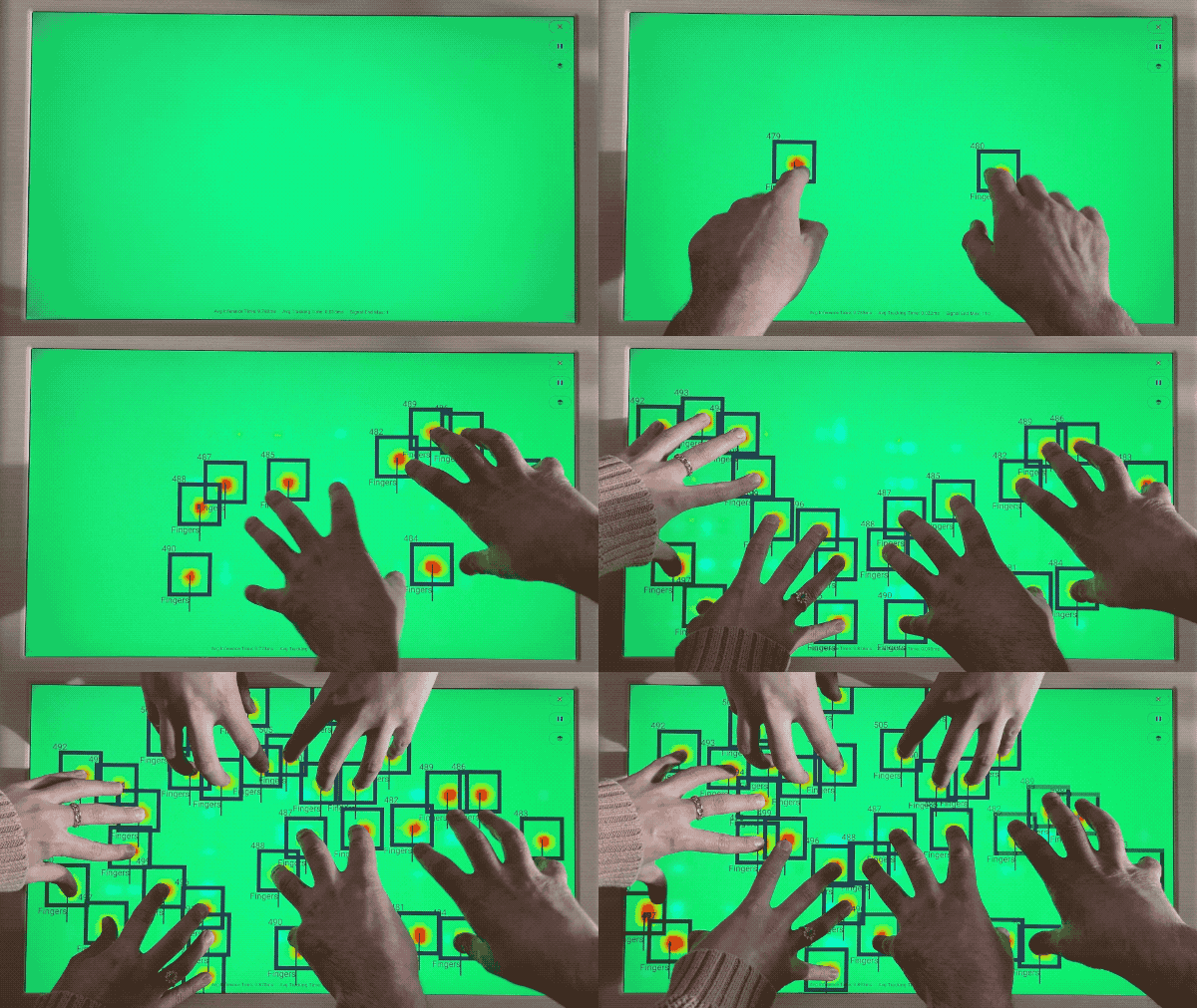
Since the original iPhone, consumer touch displays have been limited to 10 simultaneous touch points. This constraint stems from how standard capacitive touch controllers process input: they scan the entire surface, identify blobs of capacitance change, and report coordinates. The processing overhead scales with contact count, so manufacturers cap it at 10.
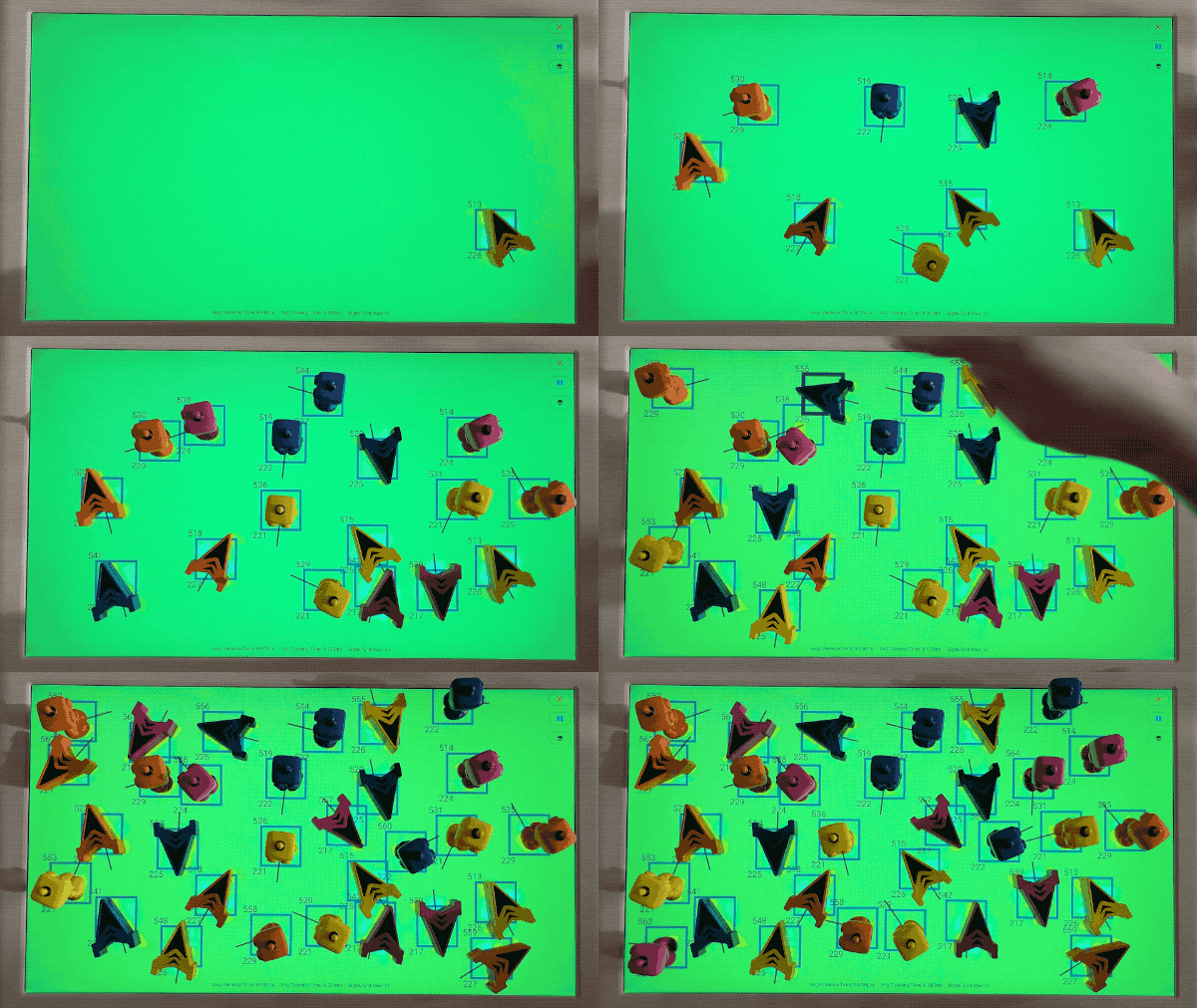
Board takes a different approach. Rather than treating touch as a display feature with a controller bolted on, the entire touch pipeline was redesigned from the sensor up. The result: no artificial limit on simultaneous contacts. Track as many fingers and Pieces as physically fit on the display. For example, you can place ~170 Board Arcade Pieces on the screen simultaneously and the system will track all of them.
Dedicated ML Processing
Touch recognition runs on a dedicated NPU (Neural Processing Unit), separate from the main CPU and GPU. On-device machine learning identifies and tracks contacts in real-time without competing for game resources.
This architecture enables:
- Consistent frame rates - Touch processing doesn’t steal cycles from rendering
- Low latency - Dedicated hardware responds faster than software polling
- Complex recognition - ML can distinguish fingers from Pieces, detect palm rejection patterns, and handle overlapping contacts
Contact Types
Board recognizes two contact types:
| Type | Description |
|---|---|
| Finger | Standard touch points from fingertips |
| Glyph | Physical Pieces with position, rotation, and touch state |
Both types flow through the same API as BoardContact objects. Finger contacts provide position and phase. Piece contacts add orientation, glyph ID, and whether the Piece is being held.
Noise Rejection
Board actively filters unintentional touches:
- Palm rejection - Resting palms don’t register as contacts
- Wrist filtering - Forearms touching the edge are ignored
- Overlapping contacts - Multiple touches in close proximity resolve correctly
This filtering happens at the hardware level, so your game receives clean contact data without implementing its own rejection logic.
Contact Lifecycle
Every contact follows a predictable lifecycle:
| Phase | Meaning |
|---|---|
Began |
Contact just started |
Moved |
Position or rotation changed |
Stationary |
Active but unchanged |
Ended |
Contact lifted normally |
Canceled |
Contact interrupted (e.g., pause screen) |
The SDK delivers these phases through BoardContactPhase, letting your game respond to placement, movement, and removal events.
Coordinate System
Contacts report position in screen coordinates matching the display resolution (1920×1080 pixels). The location of the origin depends on the SDK: Unity uses a bottom-left origin with Y increasing upward, while Godot and Web use a top-left origin with Y increasing downward. See the per-SDK coordinate convention table in Touch Input for the exact axis directions in your SDK.
For Pieces, the orientation units depend on the SDK: Unity reports radians (counter-clockwise from vertical), while Godot and Web report degrees. See the per-SDK convention table in Touch Input for the exact convention in your SDK.
See Also
- Touch Input - Implementation guide for handling contacts
- Pieces - Physical Piece recognition and tracking
- Hardware - Display and sensor specifications
- Concepts - Terminology definitions